 🧾 Receipt & Expense Tracker
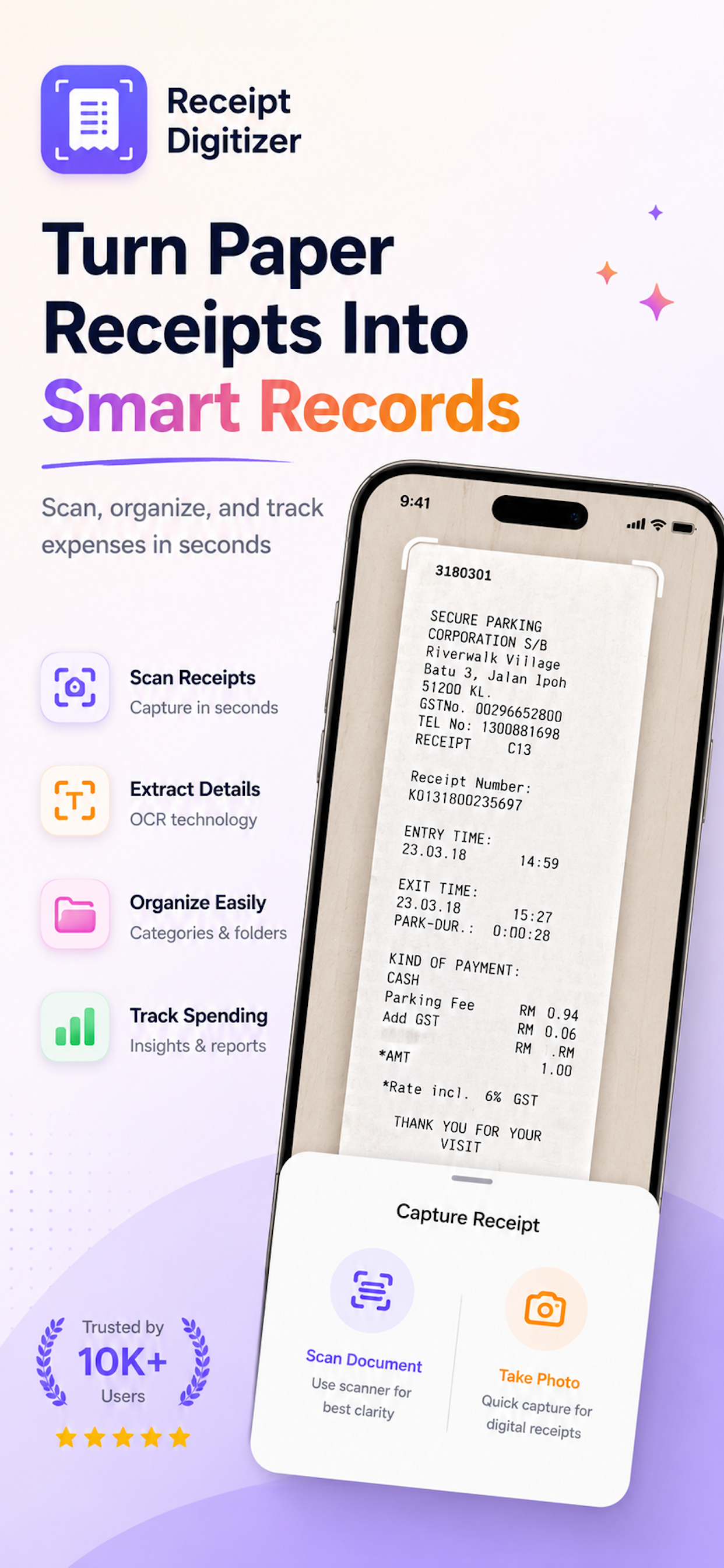
Receipt Digitizer: Scanner makes it easy to scan receipts, record expenses, manage budgets, and understand where your money goes - with on-device OCR, automatic categorization, and full privacy.
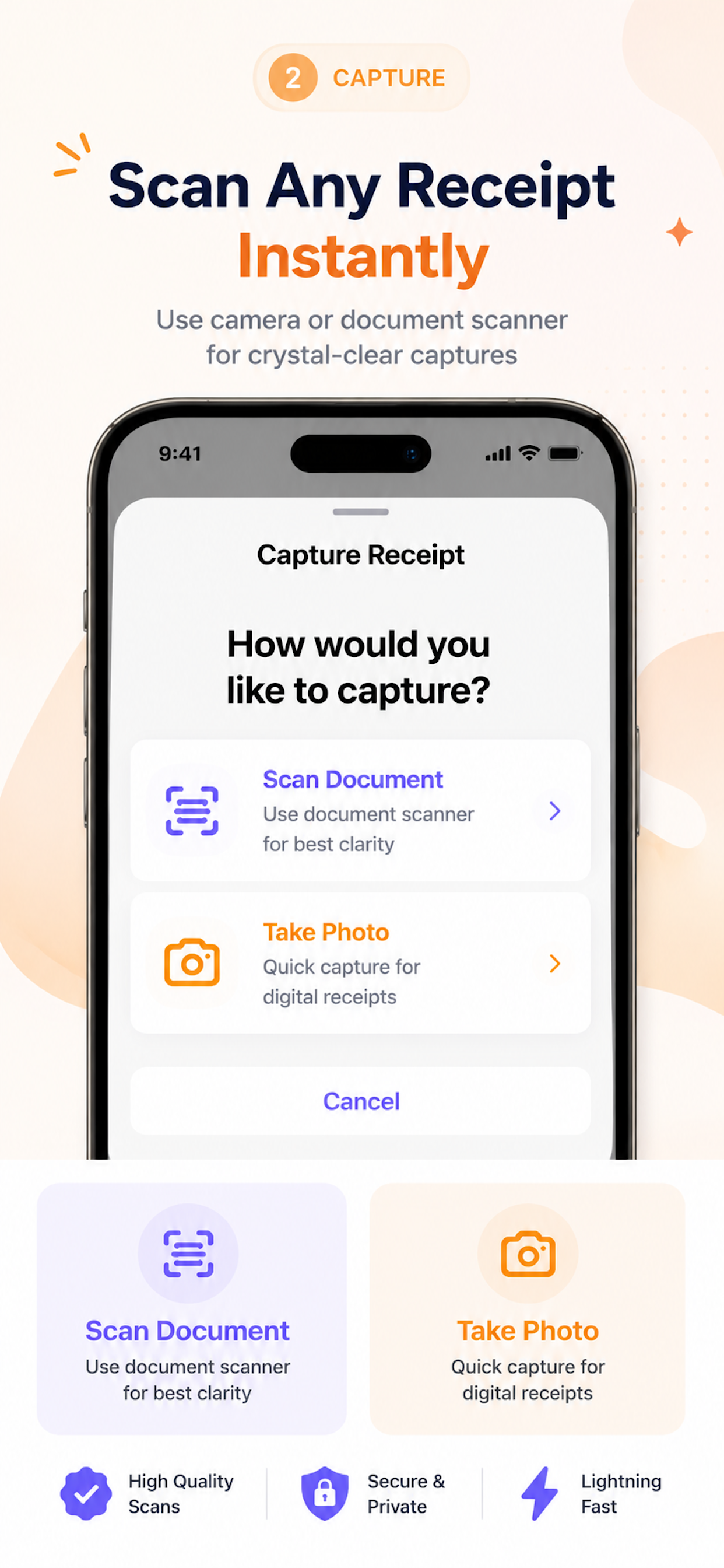
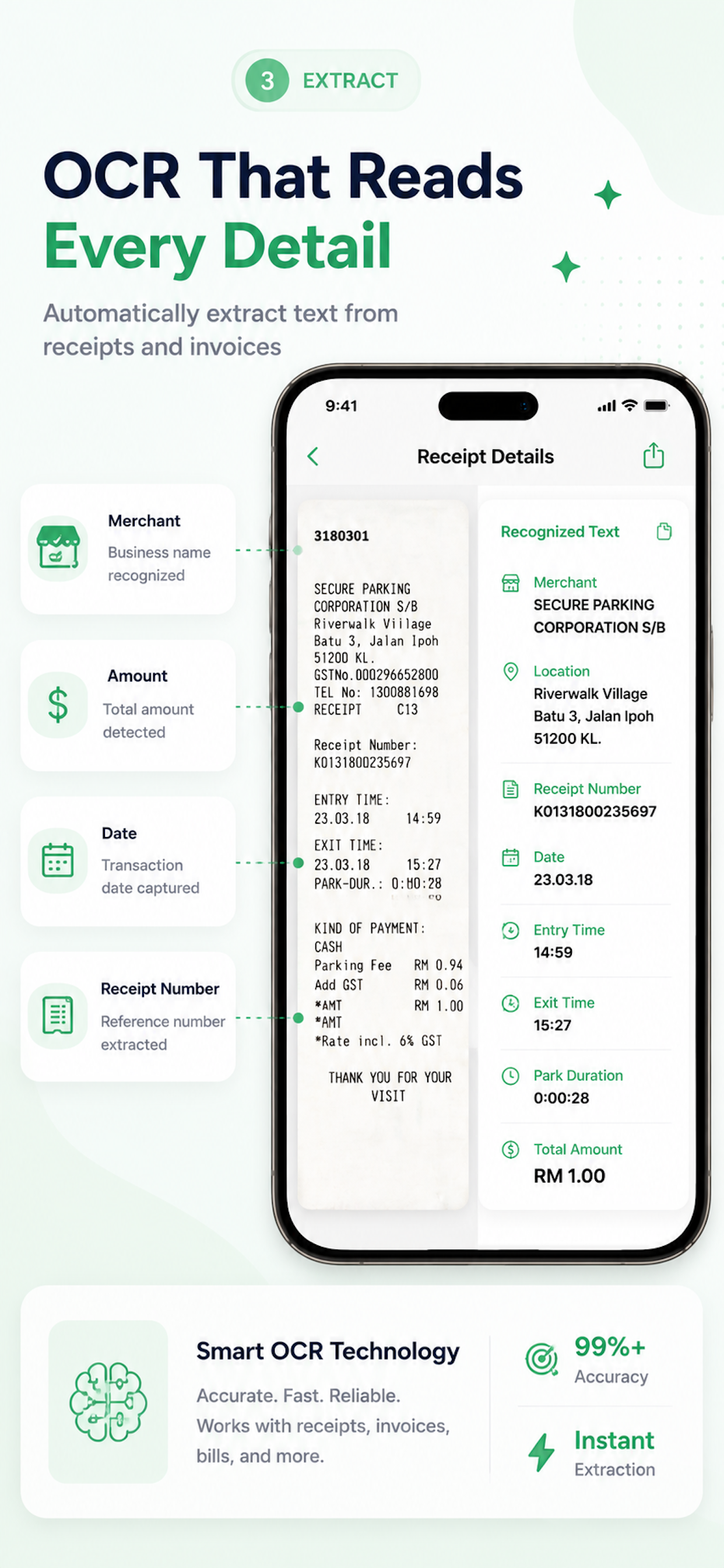
Use your camera or import existing receipt photos. Receipt Digitizer uses Apple's Vision technology to recognize merchant, date, and amount - entirely on your device. No internet required.
Point your camera at a receipt or import from your photo library.
On-device Apple Vision reads merchant, amount, and date automatically.
Verify the extracted details and tap to save. Edit anything in a tap.
Your expense is categorized and added to your history automatically.
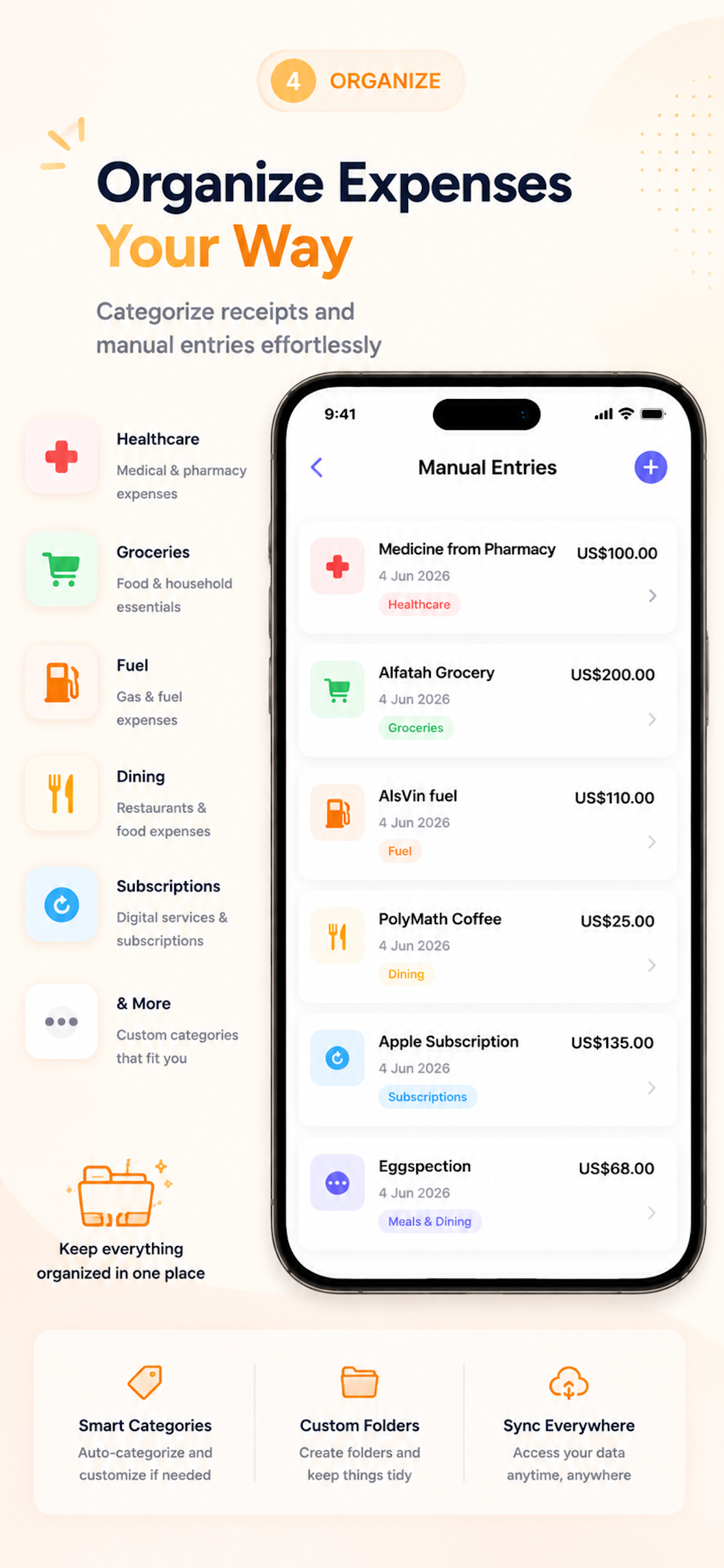
No receipt photo? Add expenses manually anytime with the same level of detail.
Keep expenses organized with categories that match the way you spend. Built-in categories cover everyday life - or create custom ones to match your workflow.
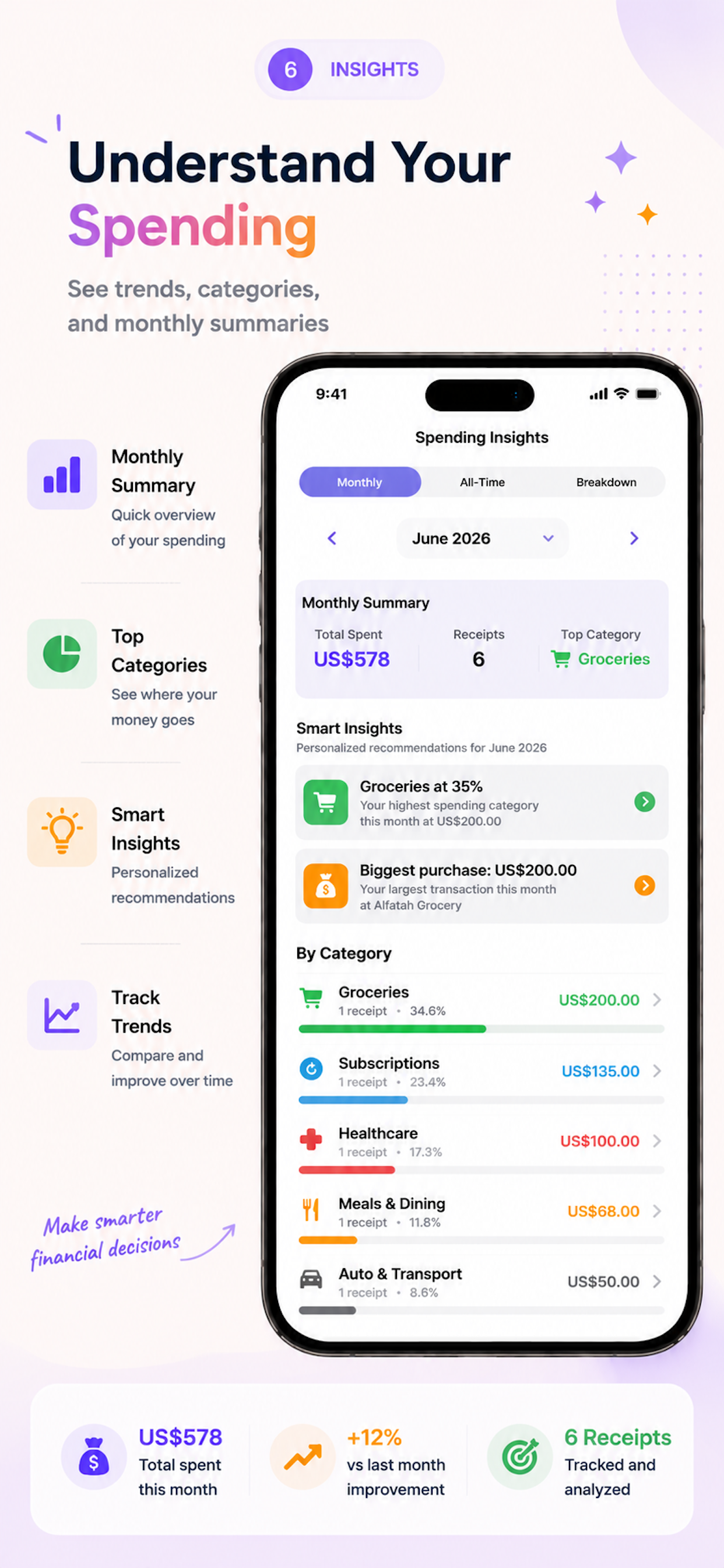
Create budgets and monitor spending over time. View spending dashboards, category breakdowns, and monthly trends to understand your financial habits and make better decisions.
See total spend, category breakdowns, and monthly trends at a glance with clear visual charts.
Set budgets by category or overall. Get visual progress tracking so you know when you're near your limit.
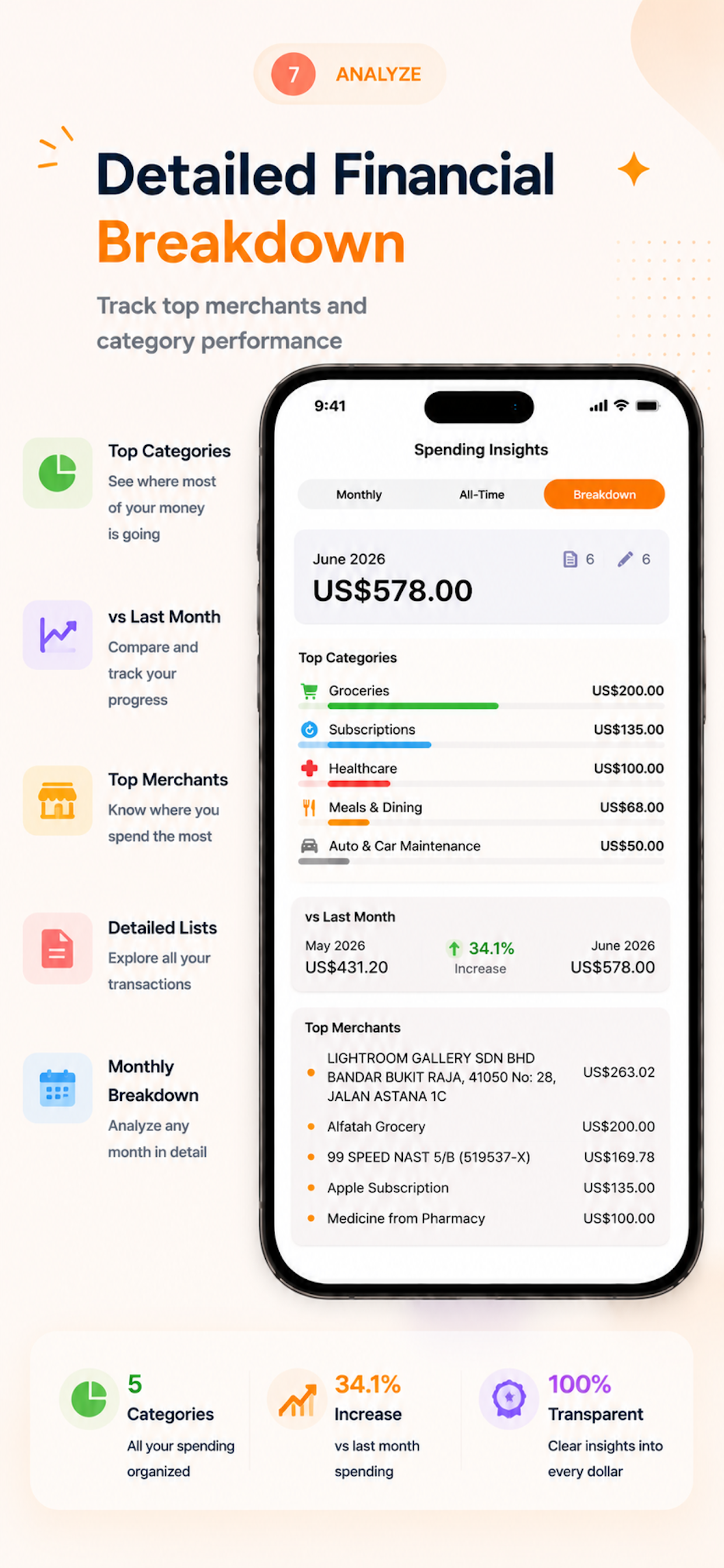
See how spending changes month to month and spot patterns in your financial habits over time.
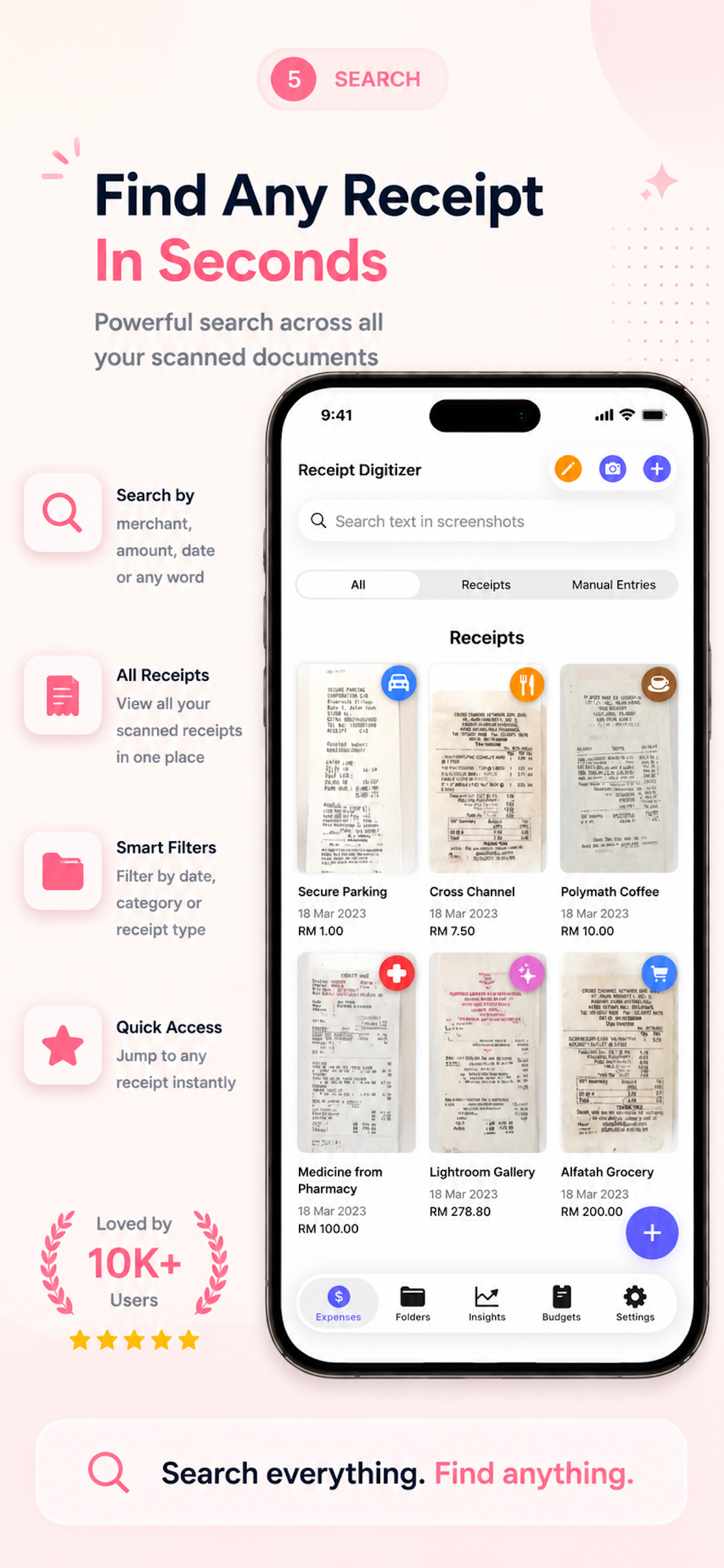
Find any receipt by merchant, date, amount, or category. Real-time results across your entire history.
Visual pie charts and lists showing exactly how much you spend in each category each month.
Browse your complete receipt and expense history. Review purchases, amounts, and dates in one organized place.
Export receipt and expense data in formats suited for taxes, reimbursements, and accounting. Your financial records are always accessible.
Generate polished expense reports as PDF files. Share with employers, accountants, or keep for your records. Ideal for reimbursement submissions and tax preparation.
Export raw expense data as CSV for use in spreadsheets, accounting software, or custom analysis. Perfect for bookkeepers and freelancers.
Keep receipts, budgets, and categories synced across all your Apple devices with optional iCloud. You control whether sync is on or off.
Receipts contain sensitive financial information. Receipt Digitizer uses Apple's on-device Vision framework for scanning and OCR. Your receipt images and financial data are never uploaded to our servers.
Whether you're tracking personal spending or managing business receipts, Receipt Digitizer adapts to the way you handle money.
Track groceries, utilities, and household expenses in one place.
Organize business expenses and generate reports for bookkeeping.
Capture work expenses, export PDF reports, and get reimbursed faster.
Keep deductible receipts organized and export records at tax time.
Log hotel, food, and transport receipts while you're on the road.
Manage client expenses and export clean CSV records for invoicing.
Switch language anytime from Settings.
Scanning, manual entry, expense tracking, budgets, spending insights, search, categorization, PDF export, CSV export, and more are all available without a subscription. Pro removes ads.
Scan receipts. Track spending. Manage budgets. Keep your records organized. Receipt Digitizer helps turn everyday receipts into useful financial records - without making expense tracking complicated.
 Scan with your iPhone camera