📋 Professional Inspection Reports

Inspect. Document. Deliver reports in minutes.

InspectKit turns your iPhone into a professional inspection tool. Capture findings with photos, video, and voice notes, stamp evidence with date and location, then generate a branded PDF report before you leave the site.

19
Built-in templates
5
Languages
iOS 18+
iPhone & iPad
InspectKit app icon
InspectKit
Professional reports in seconds
📷 Evidence-stamped photos
🎥 Video findings
See it in action

Built for the way you actually work

From checklist to branded PDF report, entirely on your device.

InspectKit inspection list InspectKit active inspection InspectKit finding with photo InspectKit video finding InspectKit PDF report InspectKit report cover InspectKit templates InspectKit settings
What's new in 6.0

Everything you need for professional inspections

Photos, video, voice notes, AI polish, and a full PDF report with your branding -- from site to inbox before you drive away.

🎥

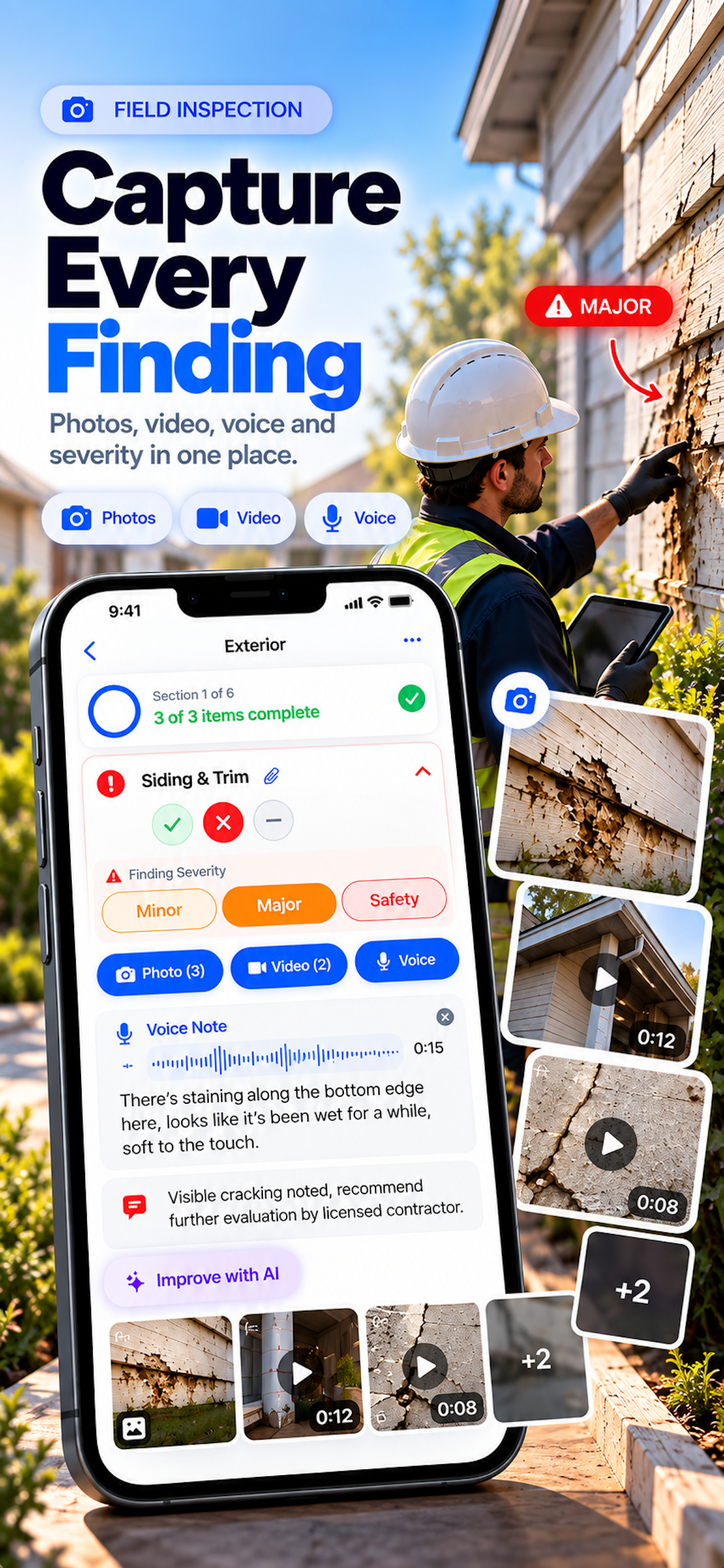
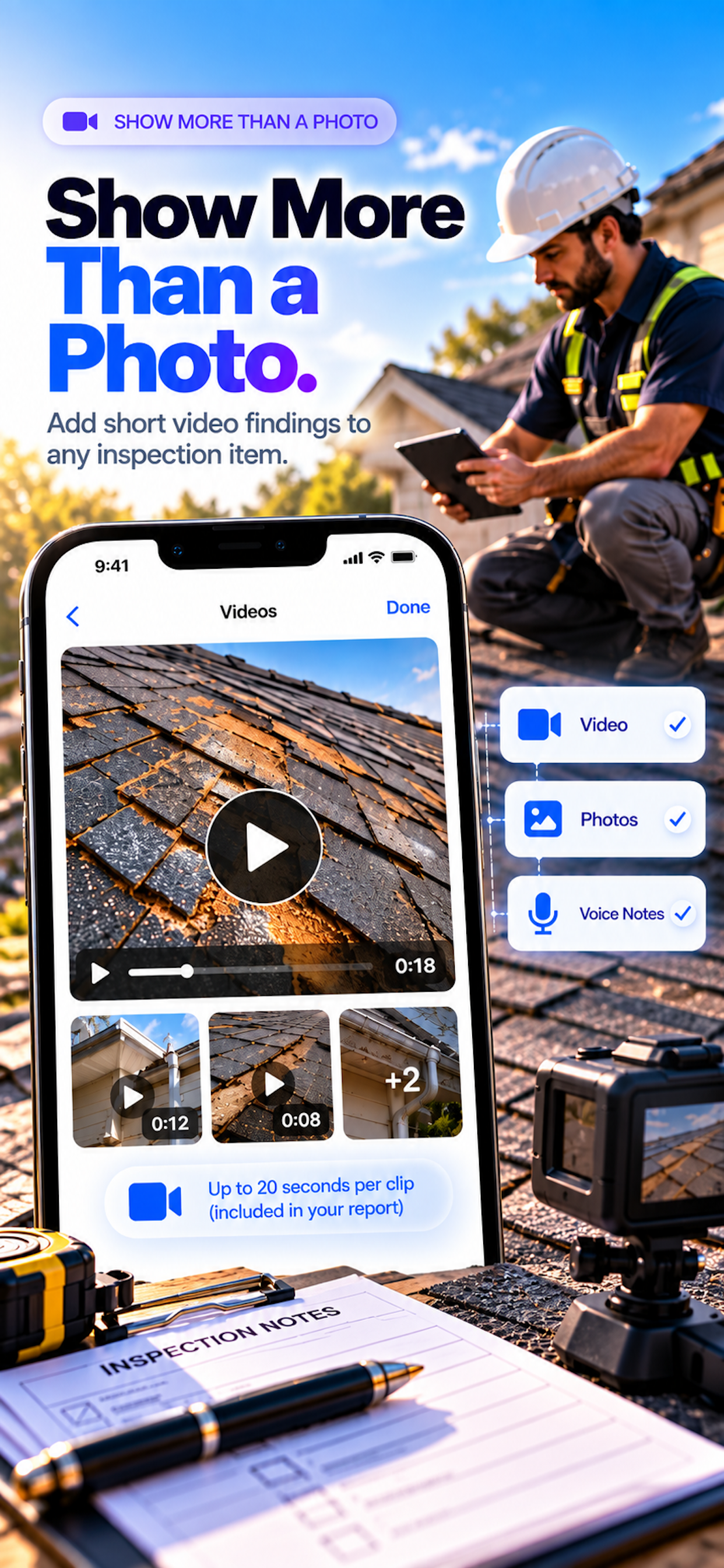
Video Findings

Attach up to 20 seconds of video to any finding. Record with the camera or pick from your library. Compressed to HEVC on-device, each clip lands in your PDF as a poster-frame tile with a play glyph and duration pill.

📷

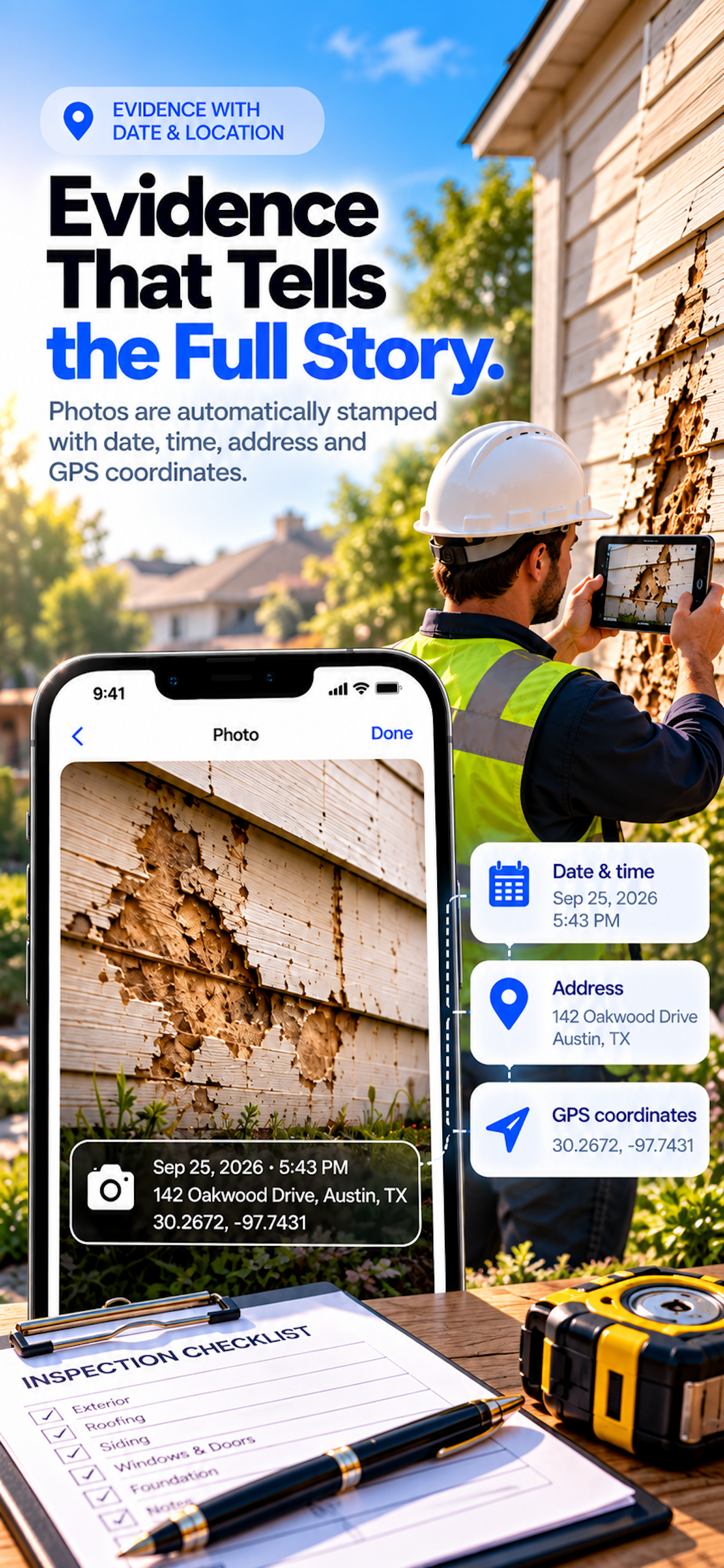
Evidence-Stamped Photos

New photos are automatically stamped with the date, time, street address, and GPS coordinates. Library photos use their own EXIF date. Stamps appear in the PDF, too -- undeniable, on-device proof.

🧠

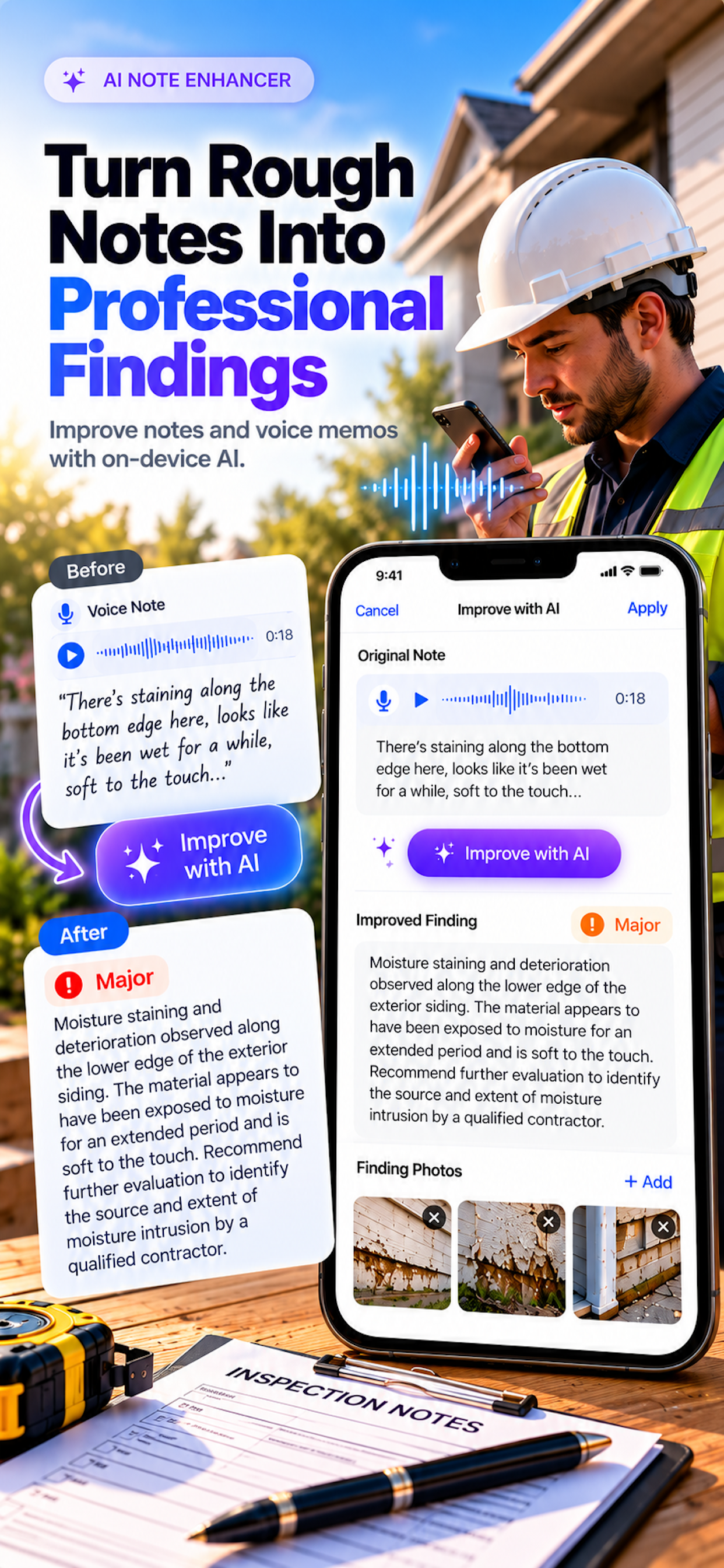
On-Device AI

"Improve with AI" rewrites a finding's notes into a professional observation and suggests a severity. Powered by Apple Intelligence, runs entirely on your device. Available on iPhone 15 Pro and later with Apple Intelligence enabled.

🌟

Finding Severity

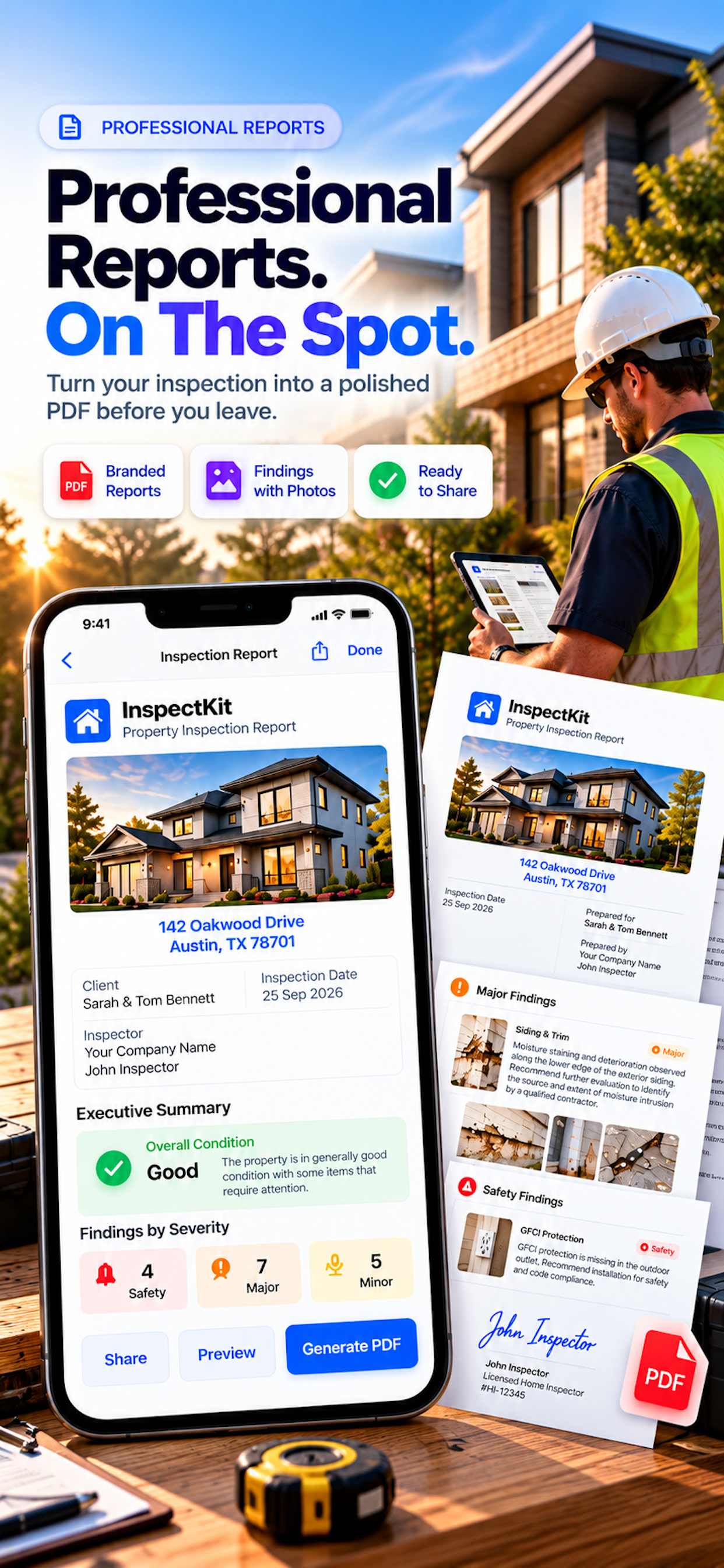
Tag each flagged finding as Minor, Major, or Safety. The PDF Recommendations page sorts by severity, adds colored tags, and shows a tally -- Minor N / Major N / Safety N -- so clients see what needs attention first.

🌎

5 Languages

English, Spanish, French, Japanese, and Portuguese. Switch language at any time in Settings -- the app, all built-in templates, and the entire PDF report update instantly. Reports print in the language the app was in when you generated them.

🆕

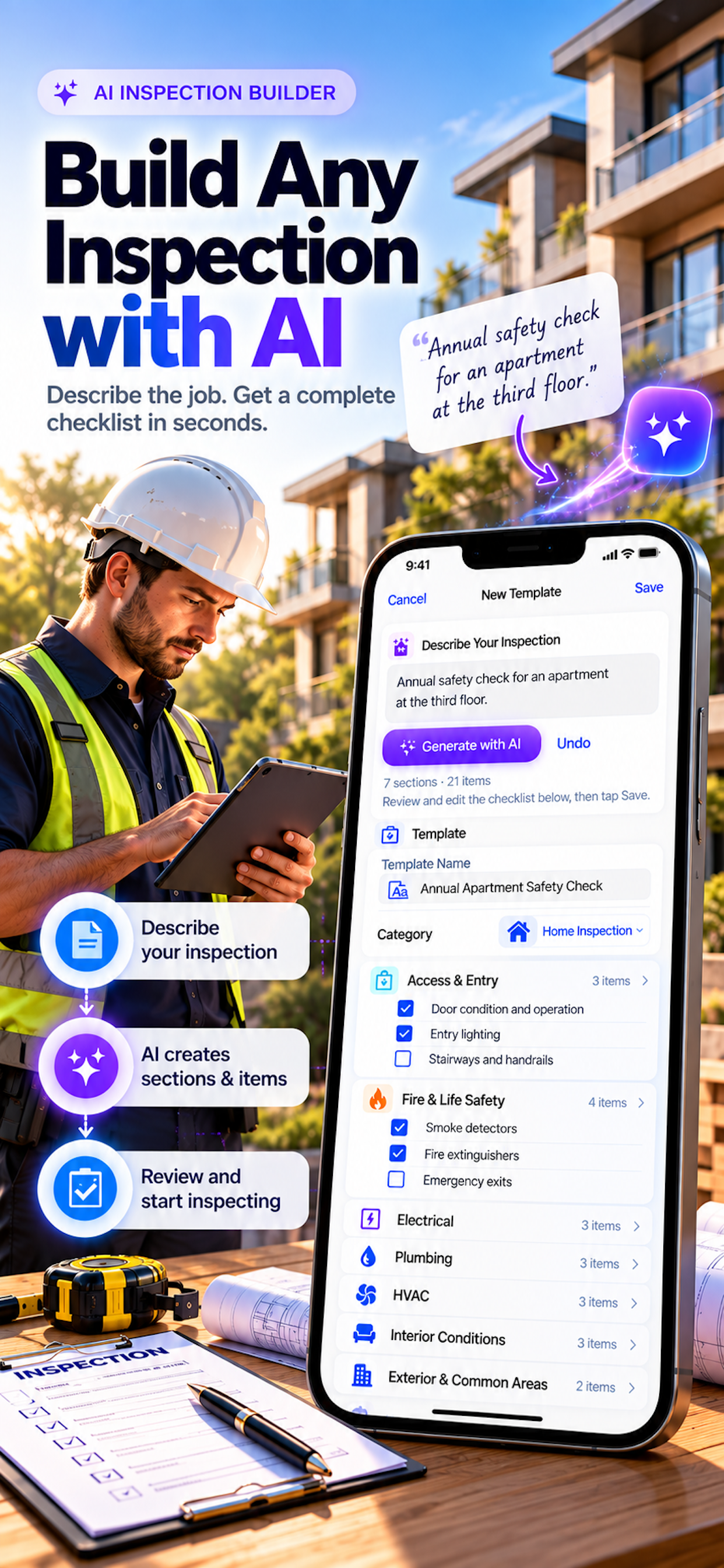
AI Template Builder

Describe your inspection in a sentence and InspectKit generates a full checklist -- sections and items -- live in the editor. On-device AI only, no backend, no cost. Available on Apple Intelligence devices.

📸

Photos & Annotations

Capture photos directly in the app and annotate them with drawing tools. Mark issues, highlight problems, and add detailed notes -- all linked to the exact finding they document.

🎤

Voice Notes

Record findings hands-free with automatic on-device transcription. Transcription now follows the app language, so notes and PDF content stay in one language throughout.

☁️

iCloud Sync

Inspections and reports sync automatically across iPhone and iPad via your private iCloud. Video clips stay on-device only -- they never touch your iCloud storage quota.

Streamlined workflow

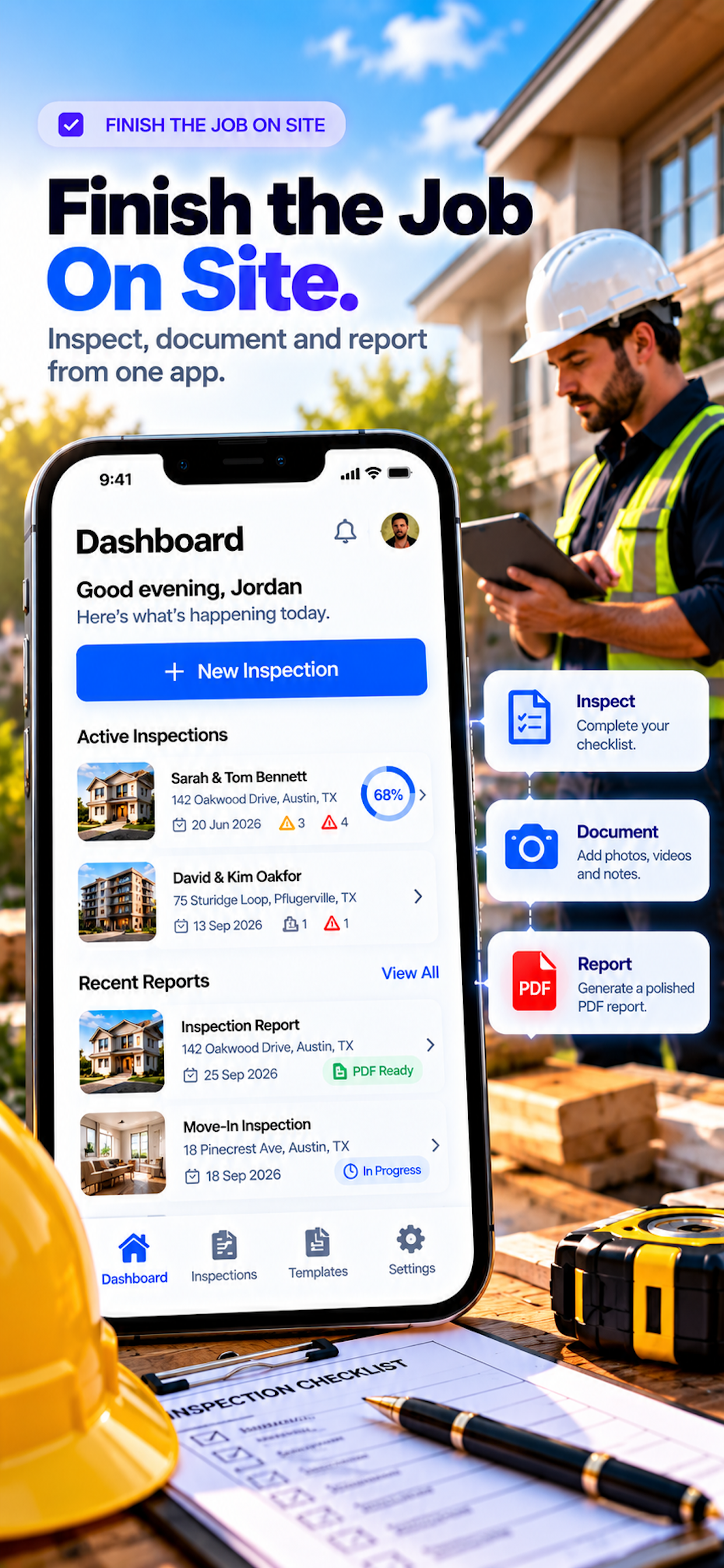
From site to professional report in minutes

Create

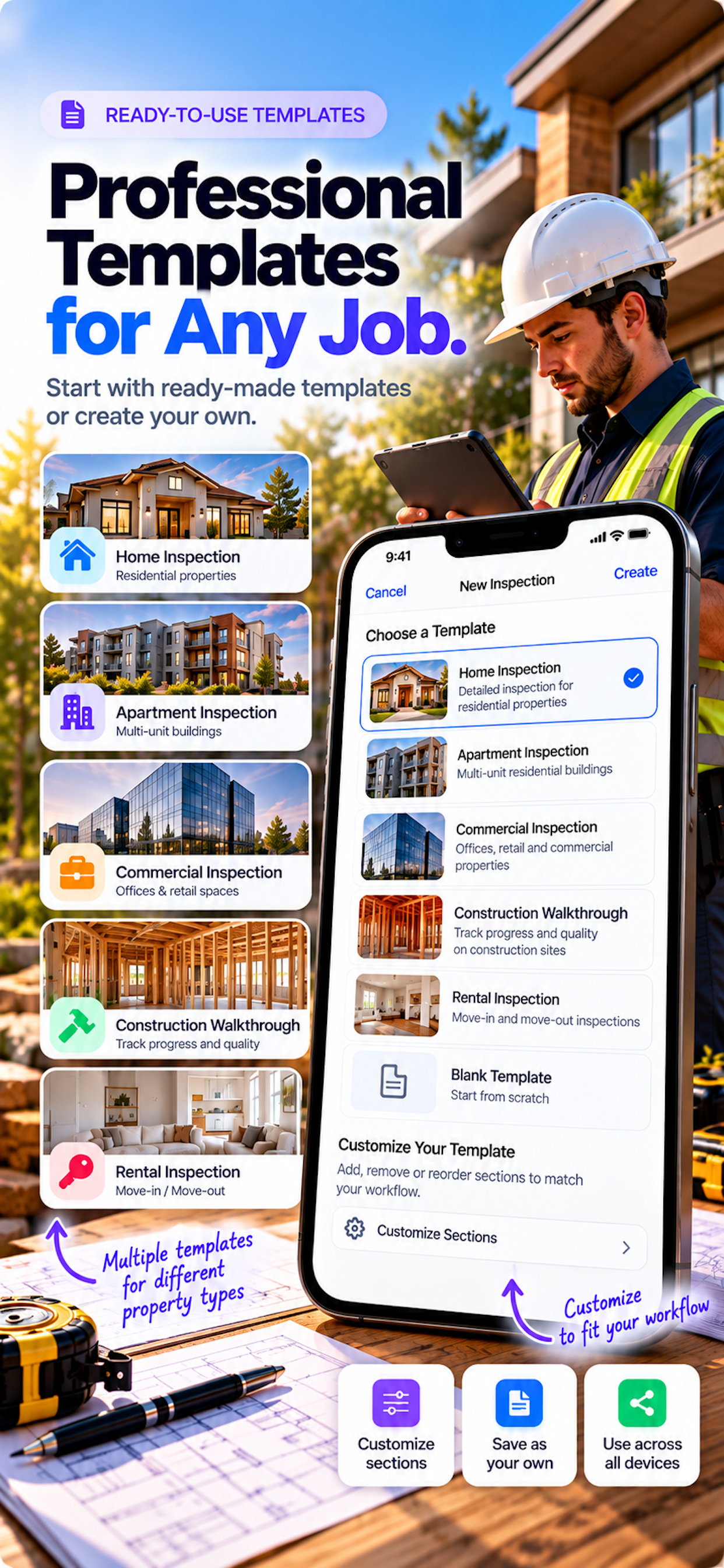
Start a new inspection from one of 19 built-in templates or a custom template you built. Add client info, property details, and up to 6 property overview photos. Reuse past clients in a tap.

Document

Work through each section. Capture annotated photos, stamp evidence with date and location, record a video, or dictate a voice note -- all linked to the exact finding. Add custom items on the fly.

Report

Tap Generate Report. InspectKit compiles everything into a polished PDF -- cover, property overview, findings, recommendations sorted by severity, photo gallery, and dual-signature sign-off -- with your branding on every page.

19 built-in templates

Ready for every inspection type

Choose a template or build your own from scratch -- or use the AI Template Builder to generate one from a description.

🏠
Home Inspection
🏢
Building Inspection
🏪
Commercial Property
🔴
Roof Inspection
💨
HVAC Inspection
☀️
Solar Panel
🚰
Rental Move-In/Out
🔧
Punch List
🚔
Vehicle Fleet
🔑
Safety Audit
🌿
Land / Lot
🛠️
+ 8 more
What's included

Free to try. Pro when you need unlimited.

Start with a free inspection and report. Upgrade Pro for unlimited inspections, watermark-free branded reports, and iCloud sync across all your devices.

Feature Free Pro
Create inspections✓ 1✓ Unlimited
Generate reports✓ 1✓ Unlimited
Photo capture & annotation✓✓
Evidence-stamped photos✓✓
Video findings (20s)✓✓
Voice note transcription✓✓
Finding severity (Minor/Major/Safety)✓✓
19 built-in templates✓✓
Custom templates✓✓
5-language support✓✓
On-device AI (requires Apple Intelligence)✓✓
Watermark-free reports✗✓
Custom branding (logo & signature)✗✓
iCloud sync✗✓
Priority support✗✓
Pricing

Simple, professional pricing

Start free. Upgrade for unlimited inspections, branded watermark-free reports, and iCloud sync.

Free

$0
Forever
  • 1 inspection
  • 1 report generation
  • Photos, video & voice notes
  • All 19 templates + custom
  • 5-language support
Download Free

Pro Annual

$24.99
Per year · save 30%
  • All Pro features
  • Best annual value
  • Annual billing
Get Pro

Pro Lifetime

$39.99
One-time purchase
  • Lifetime Pro access
  • All features, no subscription
  • No recurring charges
Get Pro

On-device AI requires iOS 26 and Apple Intelligence (iPhone 15 Pro or later with AI enabled). AI features are available to all plan tiers on compatible devices.

Now Available on the App Store

InspectKit is live and ready to streamline your inspection workflow. Download now and create your first professional report in minutes.

Scan to download InspectKit on the App Store Scan with your iPhone camera